


Virtual Books Plugin (1.20.1, 1.19.4) – Spigot

 0
0 

Virtual Books Plugin is a versatile addition for Minecraft servers that enhances the in-game book experience. It enables server administrators, authors, and players to create, share, and enjoy books filled with lore, stories, educational content, and more, all within the Minecraft universe.
Features:
- Extremely Lightweight
- No dependencies
- Unlimited page support
- Color code support
- Hex Color support
- Multiversion Support (1.8.8 – 1.20.x)
- Easy to add more pages
- A single book can be assigned multiple commands
- All books can be converted to physical books!
- Lore can be added to the physical book!
- Doesn’t consume inventory space
- Ability to create unlimited virtual books
- PlaceholderAPI support to make some of the coolest books
- Supports First Join and On Join books! Simply add their names in the config and you are done! Also available as physical books!
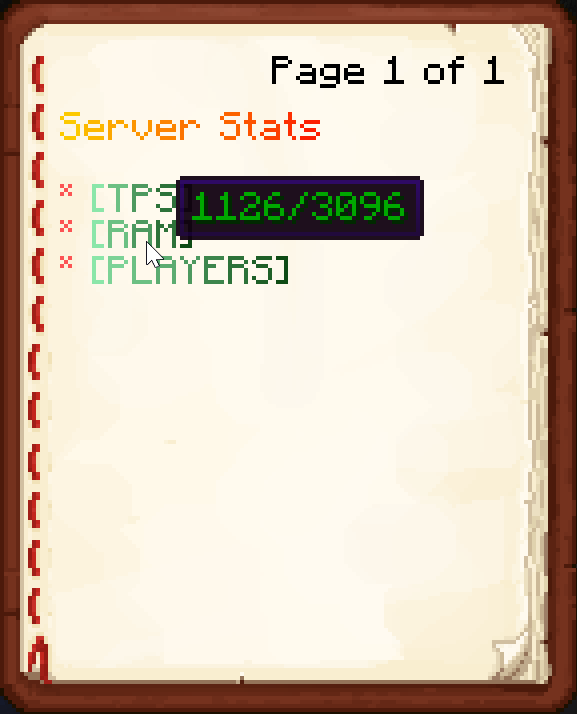
Commands:
- /vb help – Displays the help page – virtualbooks.command.help
- /vb list – Lists the available books and their commands – virtualbooks.command.list
- /vb reload – Reloads the files – virtualbooks.command.reload
- /vb announce [<text>] – Anything after announce will be announced to all the players playing on the server! Also supports PlaceholderAPI and color codes! You can also hold a signed book in hand and just type /vb announce to announce that book to everyone! – virtualbooks.command.announce
- /vb announcebook <BookFile> – Can be used to announce any book from the books folder. Be sure to include .yml in the file name while announcing! – virtualbooks.command.announcebook
- /vb open <bookFile> <Player> – Can be used to open any book from the books folder to any player on the server. Be sure to include .yml in the file name while opening a book! – virtualbooks.command.open
- /vb give <bookFile> <Player> – Can be used to give any book as a physical copy to the player. Be sure to include .yml in the file name while giving a book! – virtualbooks.command.give
- /vb create <bookName> <command> [<permission>/none] – Can be used to create a .yml file of a held signed book. DO NOT include .yml in the bookname while running the command! – virtualbooks.command.create
How to Install:
New to Minecraft? Follow our step-by-step guide to install Plugins on your PC.View Guide
Virtual Books Plugin Download Links
For All Versions from Minecraft Spigot 1.8 to Minecraft Spigot 1.20.1
Click to rate this post!
[Total: 0 Average: 0]
You May Also Like
















This post has no comments yet. Be the first — your comment will appear here.