


Polar Client Mod (1.21.4) – Dominate Anarchy Servers and Crystal Duels
 12
12
 0
0

🌐 Read this article in your language! Choose your preferred language below.
Or pick the one you like:
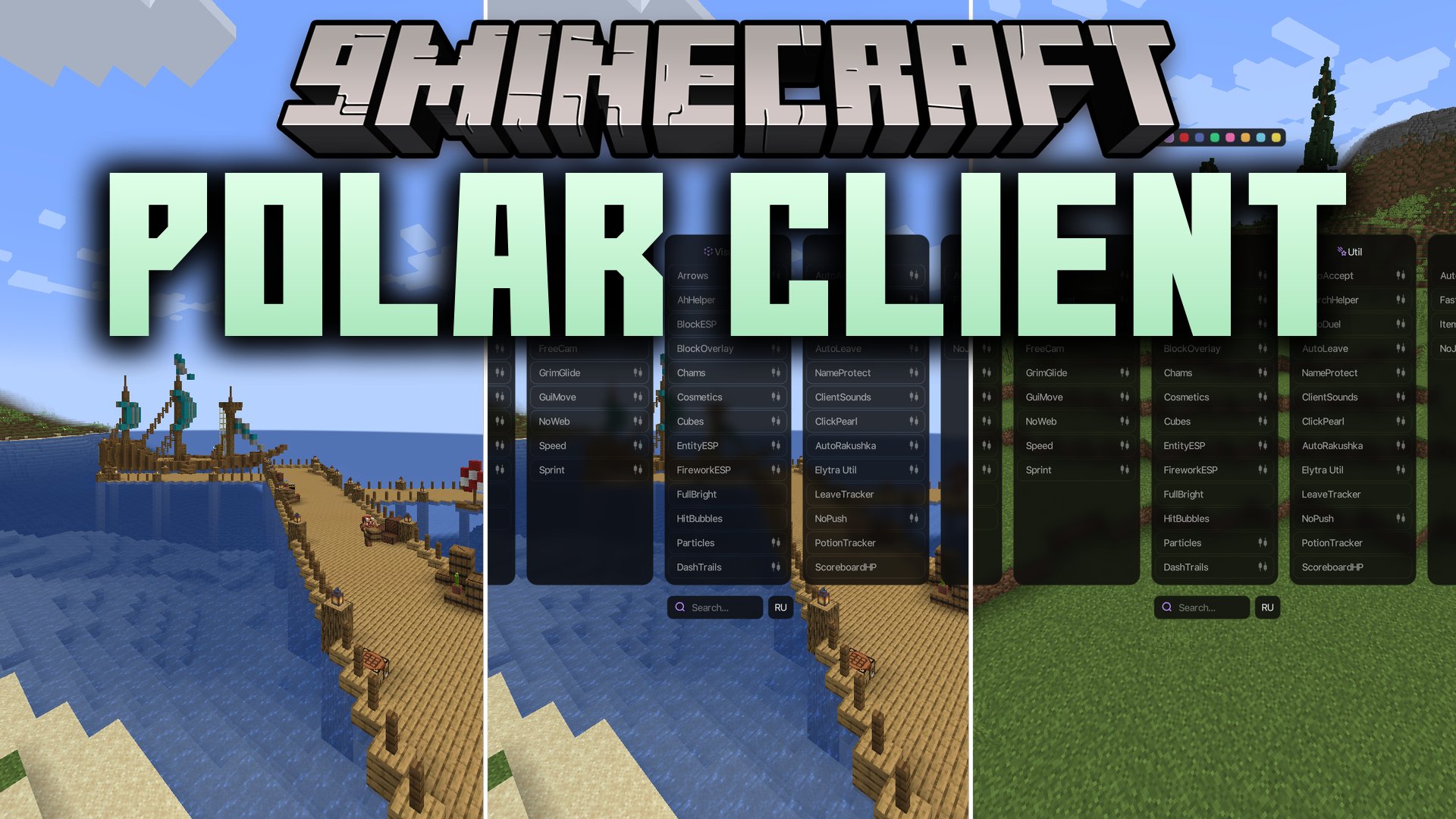
Polar Client Mod brings a full suite of PvP and utility tools directly into your game. It gives you a clean on-screen menu with five module panels to help in Crystal PvP duels and anarchy servers. You get built-in tracking tools, visual indicators, and quick combat helpers without needing messy setups. The mod helps you manage your inventory, watch potion timers, and spot targets during intense battles.
Features:
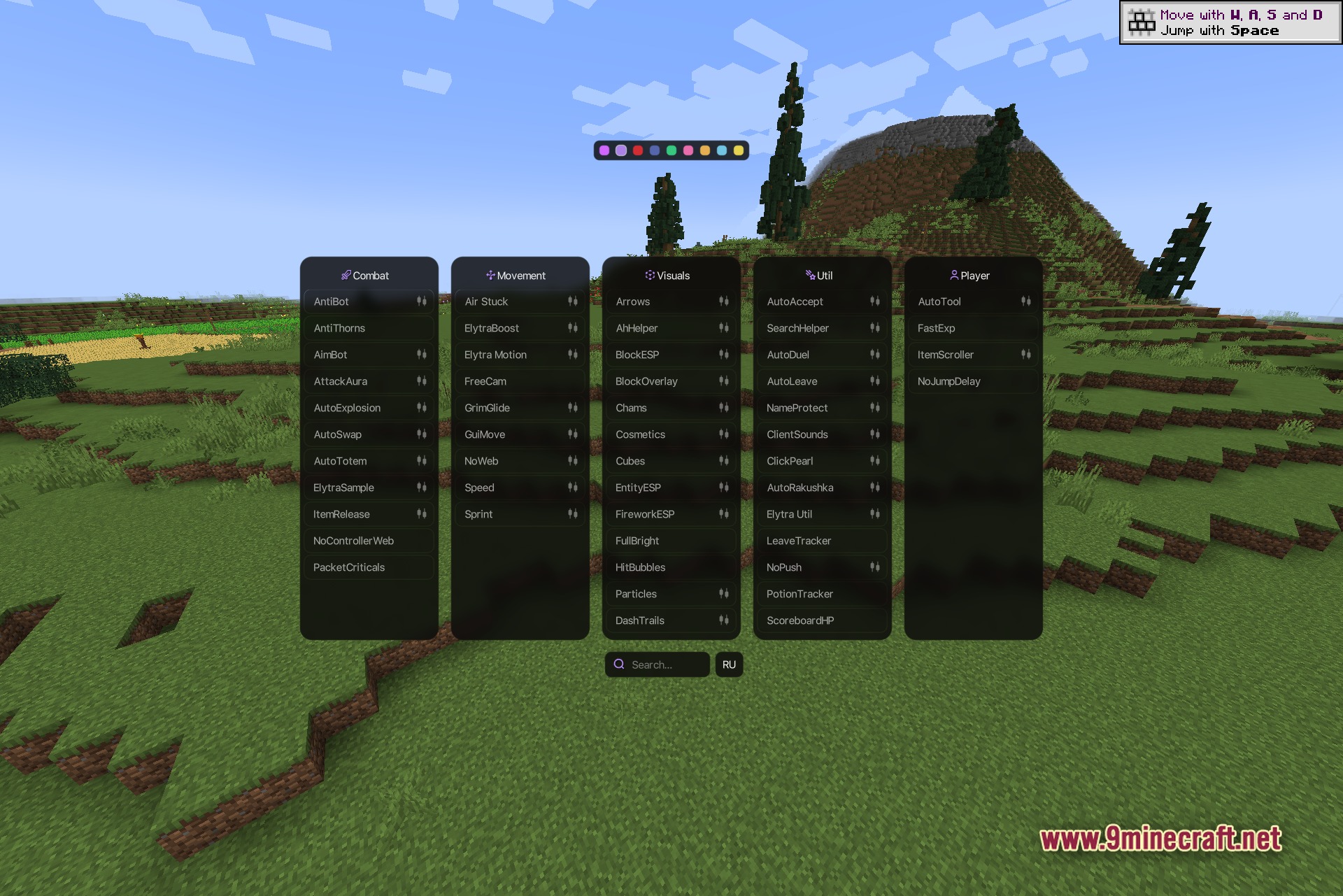
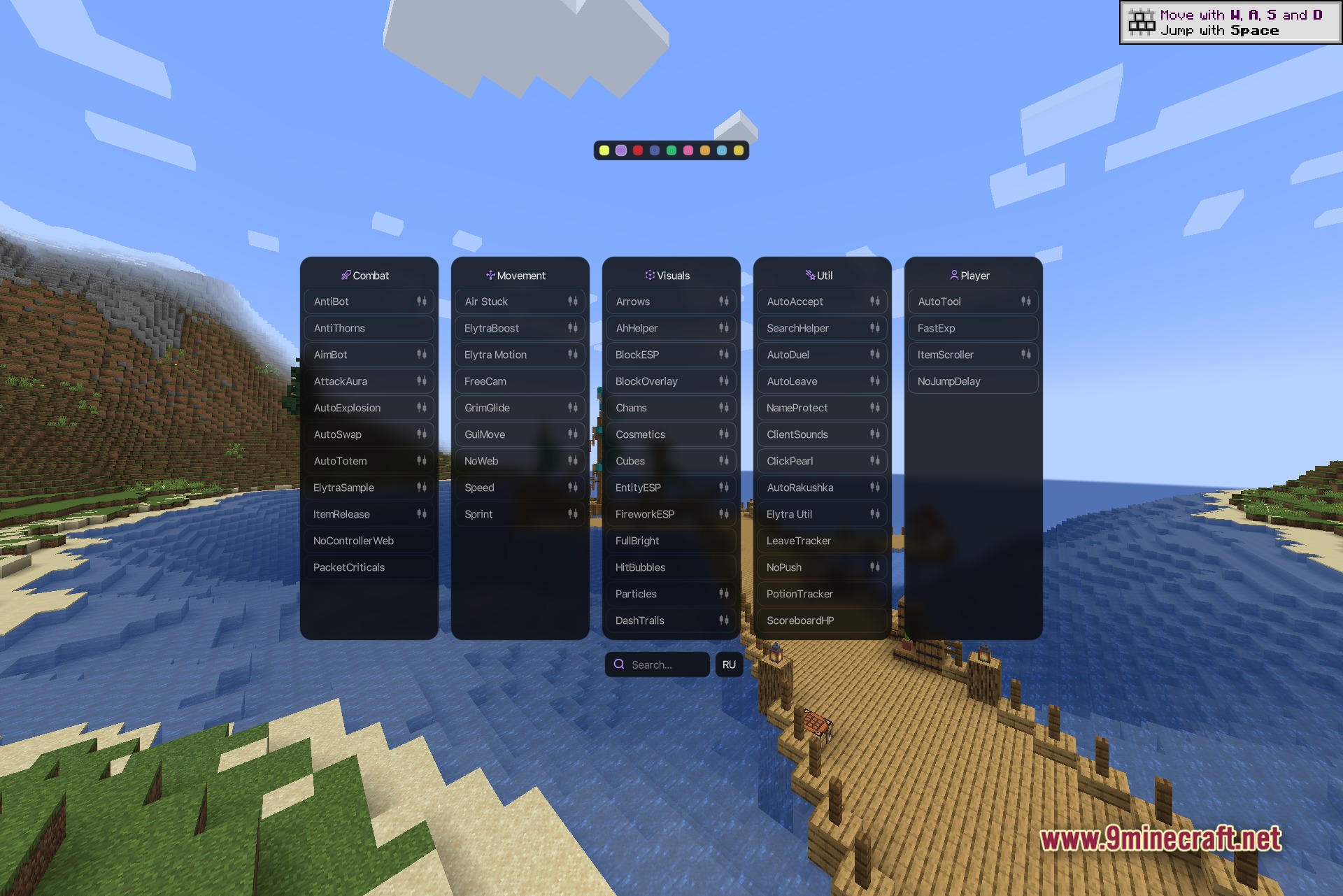
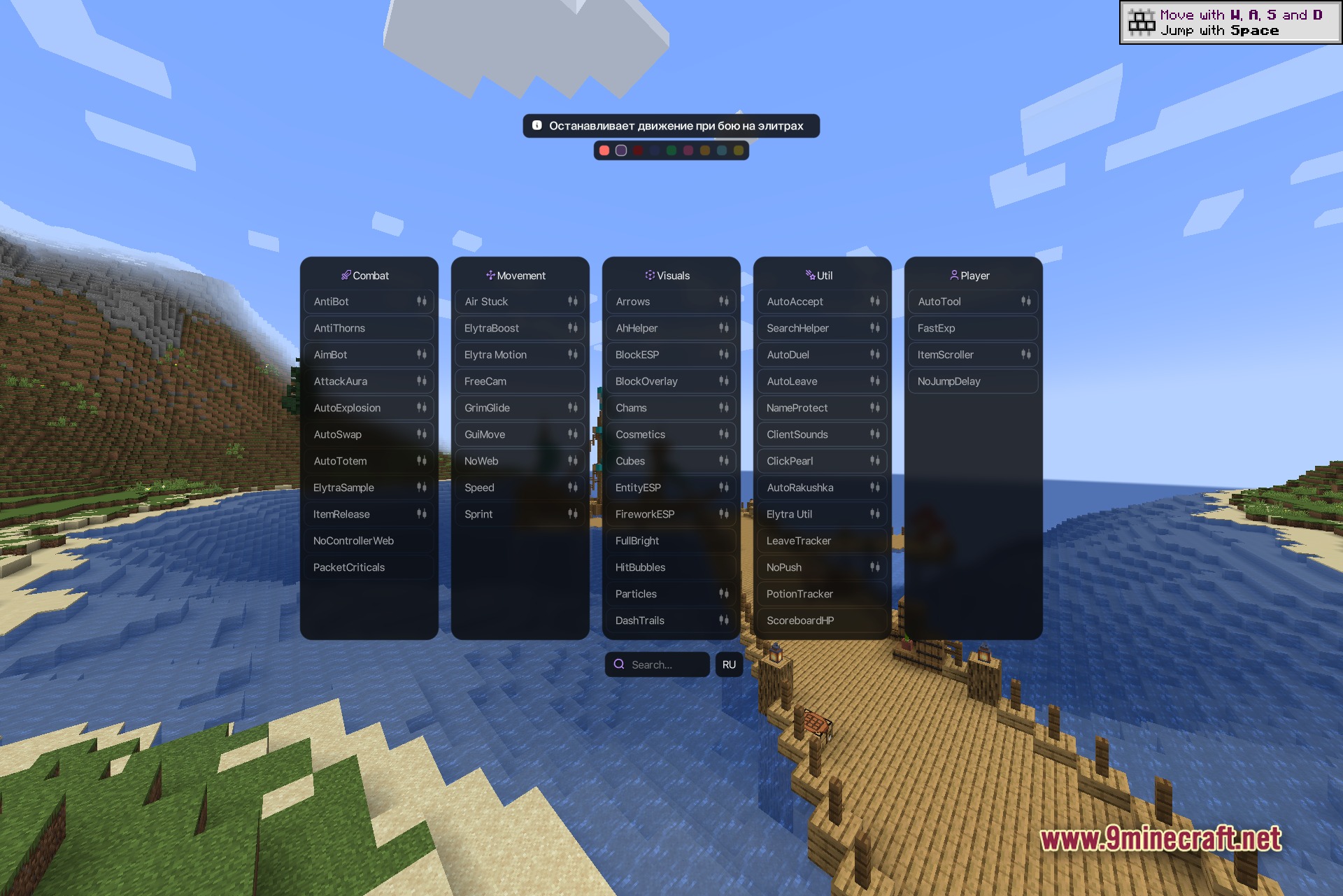
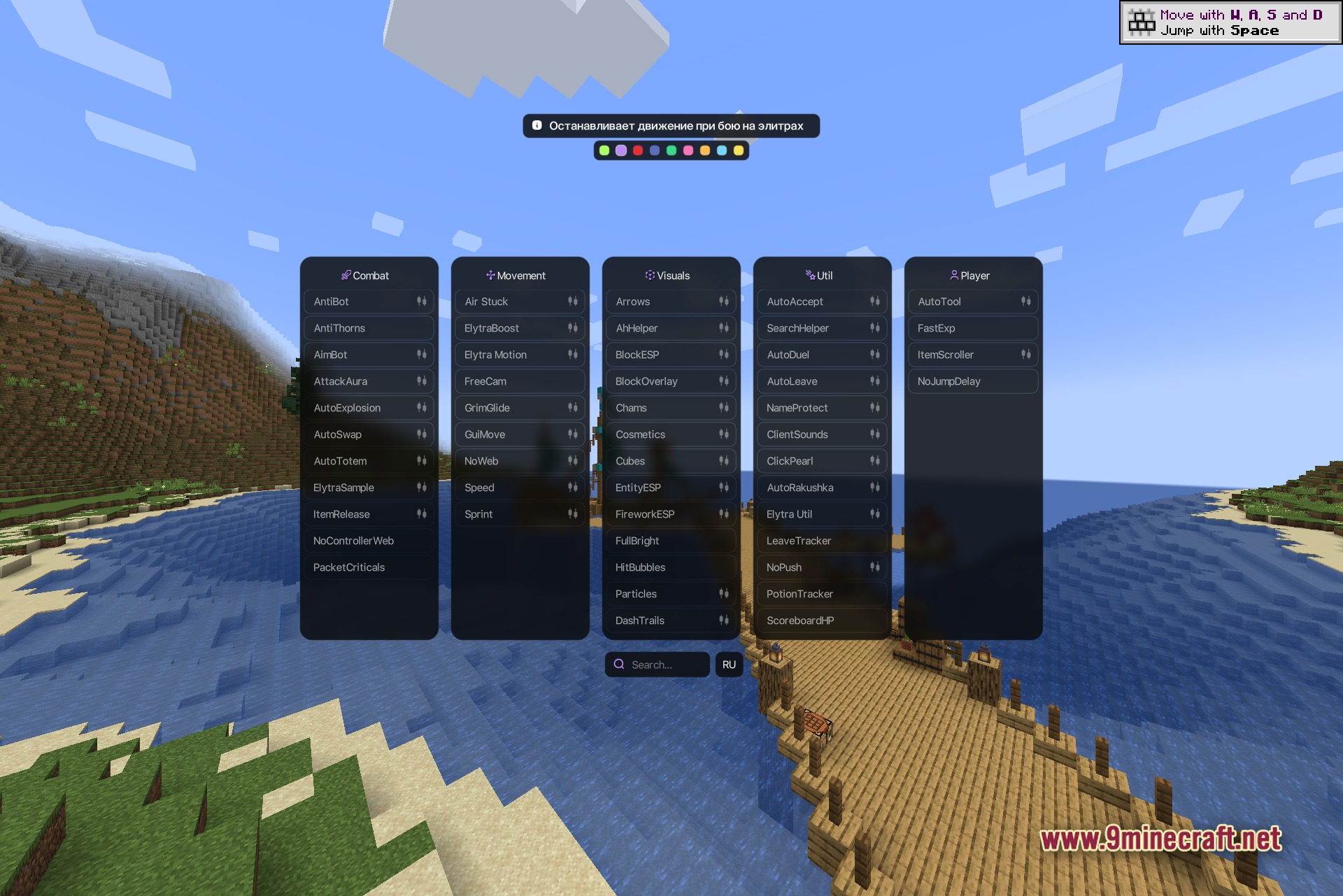
- Multi-Panel Menu: Displays five module categories on your screen at the same time so you can find settings fast.
- On-Screen HUD: Shows your active modules, target stats, and potion durations during fights.
- Auction and Shop Helpers: Tracks market listings and speeds up your economy trades on multiplayer servers.
- Left-click any module box to turn it on or off instantly.
- Right-click any module box to open sliders and fine-tune its values.
- Includes a bottom search bar to help you find specific modules by name.
- Shows Discord Rich Presence so your friends can see your current server activity.
Combat Modules:
- AntiBot and AntiThorns
- AimBot and Aura
- AutoExplosion and AutoSwap
- AutoTotem and ItemRelease
- ElytraMotion and ElytraTarget
- NoControllerWeb and PacketCriticals
Movement Modules:
- AirStuck and ElytraBoost
- Flight and FreeCam
- GrimGlide and InventoryWalk
- NoWeb
- Speed and Sprint
Visuals Modules:
- Arrows, BlockESP, and BlockOverlay
- Chams, Cosmetics, and DashTrails
- EntityESP, FireworkESP, and FullBright
- HitBubbles, HitMarker, and KillEffect
- ShulkerPreview, Tracers, and Trails
- HUD and ArrayList
Util Modules:
- AhHelper and SearchHelper
- AutoAccept, AutoDuel, and AutoJoin
- AutoLeave and LeaveTracker
- ClickPearl and ElytraSwap
- PotionTracker and ScoreboardHP
- DeathCoord, EcOpen, and NameProtect
Player Modules:
- AutoTool
- FastBreak
- FastExp
- ItemScroller
- NoJumpDelay
- NoPush
How to Use:
- Press Right Shift in-game to open the main client interface.
- Left-click any module box on screen to toggle it on or off.
- Right-click a module box to customize its settings, keybinds, and sliders.
- Use the search bar at the bottom to quickly locate specific tools.
- Switch themes or interface language using the top menu icons.
Screenshots:
How to Install:
New to Minecraft? Follow our step-by-step guide to install Mods on your PC.View Guide
Requirements:


Polar Client Mod Download Links
For Minecraft 1.21.4
Click to rate this post!
[Total: 0 Average: 0]
You May Also Like



This post has no comments yet. Be the first — your comment will appear here.