
Show the Lyrics Mod (26.3, 1.20.1) – Watch Live Music Lyrics Float Right
 251
 0

Show the Lyrics Mod displays synced lyrics from the music on your computer right inside your Minecraft world or across your HUD. As each track plays on Spotify, YouTube, YouTube Music, Apple Music, Deezer, Tidal, or from local audio files, timed lines appear around you one by one with zero login or manual setup. This mod packs 10 fonts with bold styles, solid, gradient, rainbow, or album-art colors, glow and sparkle effects, line animations, a corner now-playing widget, and a Party Mode filled with music notes. You open the in-game menu at any time to save up to 12 custom styles, share setups through short codes, or load popular community presets. It reads media playback on Windows, macOS, and Linux and works in singleplayer worlds or on any multiplayer server.

Features:
- World and HUD Synced Lyrics: Projects timed song lyrics line by line out in the 3D world around you or directly onto your HUD as tracks play.
- Zero-Login Media Detection: Picks up active music playback on your computer right away with no accounts to link and no sign-in needed.
- Built-In Style Menu: Opens an in-game style menu when you press B so you can tweak every visual option live.
- Community Look Sharing: Exports your custom look as a shareable code and lets you browse and try the most-liked community looks right inside the menu.
- Works on Any Server: Runs in both singleplayer worlds and any multiplayer server so your lyrics follow you everywhere you play.
- Fetches timed lyrics automatically from its own lyric server and falls back to LRCLIB as a backup when needed.
- Sends only the track title, artist name, album name, and song length when looking up timed lyrics.
- Includes a toggle inside the in-game menu to turn off anonymous usage counting whenever you prefer.
Visual Style Options:
- Fonts: includes 10 distinct fonts, each paired with a real bold style.
- Colors: choose solid colors, gradients, rainbow text, or colors pulled from your current album cover.
- Glow and Sparkle: turn on glow and sparkle effects to make each lyric line stand out clearly.
- Line Animations: pick custom animations for how lyric lines come in, move, and leave.
- Party Mode: spawns floating music notes around your character while your music plays.
- Now-Playing Widget: shows a small corner widget with the current song and its album cover.
- Presets and Custom Looks: pick from built-in presets or save up to 12 custom looks of your own.
Music Sources and Operating Systems:
- Streaming Apps: works with Spotify, YouTube, YouTube Music, Apple Music, Deezer, and Tidal.
- Local Audio Files: reads songs played directly from audio files stored on your computer.
- Operating Systems: detects active media playback on Windows, macOS, and Linux.
How to Use:
- Start playing a song on your computer through Spotify, YouTube, YouTube Music, Apple Music, Deezer, Tidal, or a local music file; no login or account linking is needed.
- Join a singleplayer world or any multiplayer server, and timed lyrics start floating around you line by line automatically.
- Press B in-game to open the style menu (or reach settings through the in-game Mods menu) whenever you want to adjust how lyrics appear.
- Pick from 10 fonts, set solid, gradient, rainbow, or album-cover colors, switch on glow, sparkle, animations, Party Mode, or the corner now-playing widget, and save up to 12 custom looks.
- Open the community section inside the menu to try the most-liked player looks or copy a code to share your own style.
- Turn off anonymous usage counting inside the menu anytime if you prefer not to send usage counts.
Screenshots:


How to Install:
New to Minecraft? Follow our step-by-step guide to install Mods on your PC.View Guide



Show the Lyrics Mod Download Links
For Minecraft 26.3
For Minecraft 26.2
For Minecraft 26.1.2, 26.1.1, 26.1
For Minecraft 1.21.11
For Minecraft 1.21.10, 1.21.9
For Minecraft 1.21.8, 1.21.7, 1.21.6
For Minecraft 1.21.5
For Minecraft 1.21.4
For Minecraft 1.21.1, 1.21
For Minecraft 1.20.1, 1.20
For Minecraft 1.18.2
For Minecraft 1.16.5
For Minecraft 1.12.2
For Minecraft 1.8.9
Which Minecraft version do you spend the most time playing with mods?
32 responses · See the full results →
You May Also Like
Picked for this page
 World Edit Mod (26.3, 1.20.1) – Shape Terrain in Seconds
 libIPN Mod (26.3, 1.20.1) – Library for mirinimi’s Mods
 Immersive Armors Mod (26.2, 1.20.1) – Suit Up with Combat Perks
 DefaultSettings Mod (26.3, 1.20.1) – Keep Settings Safe in Modpacks
 Lunar Keystrokes Mod (26.3, 1.8.9) – Track Every Click and Key Press in Combat
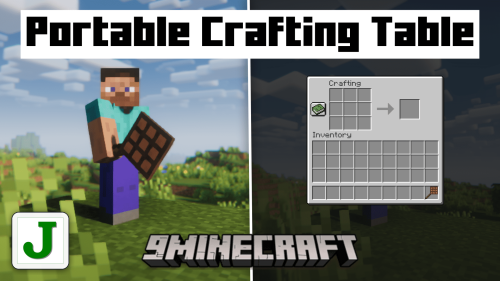 Portable Crafting Table Mod (26.3, 1.20.1) – Craft Items Anywhere
 I18n Update Mod (26.3, 1.20.1) – Read Every Mod in Chinese
 Item Obliterator Mod (26.1, 1.20.1) – Curate the Perfect Modpack
 Additional Banners Mod (26.3, 1.20.1) – Design Unique Banner Art
 Accessorify Mod (1.21.10, 1.20.1) – Carry Extra Gear and Free Up Inventory Slots
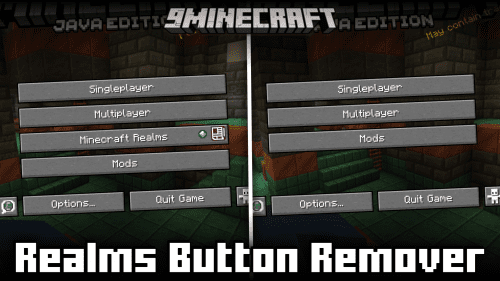 Realms Button Remover Mod (26.3, 1.20.1) – Declutter Your Main Menu Instantly
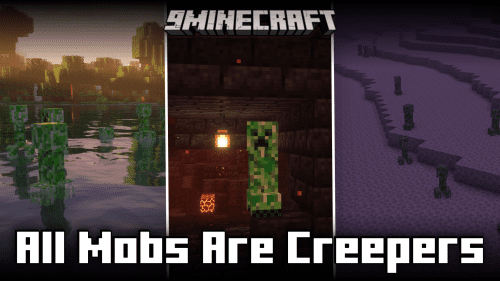 All Mobs Are Creepers Mod (26.3, 1.20.1) – Survive Constant Explosions
Most viewed in Mods over the last 7 days
 Ala Industrial Mod (26.3) – Run Electric Power Grids and Automated Factories
 PleasureCraft Mod (26.3, 1.21.1) – Jenny Mod Remake for Fabric
 Jennycraft Mod (26.3, 1.20.1) – Virtual Girlfriend in Minecraft
 Fapcraft Mod (26.3, 1.12.2) – Comprehensive and Detailed Content
 Meteor Client Mod (26.3, 1.20.1) – Xray, HUD, Fly
 Jenny Mod (Fapcraft) Official Complete Guide – How to use, Tutorial
 BangCraft Mod (1.20.1) – Jenny, Ellie and Elliot
 OptiFine HD (26.3, 1.20.1) – Run Faster, FPS Boost, Shaders Support
 CatLean Client Mod (26.2, 1.21.11) – ThunderHack Recode Alternatives
 Fabric Loader (26.3, 1.20.1) – Fabric Installer for All Minecraft Versions
 Patched Mod (26.3, 1.20.1) – Edit Game Files Without Breaking Packs
 Meteor Client Addons (26.3, 1.20.1) – Modify Almost Anything in Meteor
More from Mods
 Immersive Optimization Mod (26.3, 1.20.1) – Eliminate Lag Spikes While Running
 Fish N’ Ships Mod (26.3, 1.20.1) – Build Massive Ships to Haul Cargo
 The Roads More Travelled TRMT Mod (26.3, 1.20.1) – Footsteps Form Real Paths
 Wolren Reach Display Mod (26.3, 1.20.1) – Master PvP Combat with Precise Hit
 Hybrid API HAPI Mod (26.3, 1.20.1) – Run Every Hybrid Labs Mod Together
 Bedrockoid Mod (26.3, 1.20.1) – Play Java Like It’s Bedrock
 Underground Villages Stoneholm Mod (26.3, 1.20.1) – Explore Secret Settlements
 NoMoWanderer Mod (26.3, 1.20.1) – Keep Unwanted Traders Out
 LibRainworldmc Mod (1.21.1) – Core Visual and Interface Tools for Rain World MC
 Sanguine Mob Harvest Mod (26.3, 1.20.1) – Turn Mob Hunts Into Permanent Stat
 Asterion Logic Mod (1.21.1, 1.20.1) – Core Controller Logic for Asterion
 Realistic Terrain Generation Unofficial Mod (1.12.2) – Smooth Natural Worlds

This post has no comments yet. Be the first — your comment will appear here.