
Tab Menu Play Time Tracker Mod (26.3) – Check Everyone’s Live Hours
 4
 0

Tab Menu Play Time Tracker Mod lets you see how long you and your friends spend on a world right inside the player list. Every online player’s total playtime updates live once per second next to their name. Instead of confusing raw tick numbers, this mod formats the counter into clear days, hours, minutes, and seconds. It activates on its own as soon as the world loads with zero setup needed.

Features:
- Live Updates: Refreshes every second (20 ticks) with custom scoreboard number formatting so you never see raw game ticks.
- Smart Unit Hiding: Leaves out leading zero units so new players see a clean
[12:m, 34:s]and longtime players see[2:d, 5:h, 18:m, 40:s]. - Hooks straight into Minecraft’s built-in playtime stat and turns on the list display automatically on world load.
- Colors each time unit differently in the player list so you can read everyone’s stats at a glance.
Time Unit Colors:
- Days: displays as
<value>:din red. - Hours: displays as
<value>:hin yellow. - Minutes: displays as
<value>:min aqua. - Seconds: displays as
<value>:sin green.
How to Use:
- Load into your world, and the mod activates on its own with zero setup required.
- Press Tab to open the player list and view the live playtime next to each online player’s name.
How to Install:
New to Minecraft? Follow our step-by-step guide to install Mods on your PC.View Guide
Requirements:


Tab Menu Play Time Tracker Mod Download Links
For Minecraft 26.3
Click to rate this post!
[Total: 0 Average: 0]
You May Also Like
Picked for this page
 Jade Mod (26.3, 1.20.1) – Inspect Blocks and Mobs at a Glance
 Stack Refill Mod (26.3, 1.20.1) – Never Run Out of Building Blocks
 DarkBlades Mod (26.3, 1.20.1) – End Game Weapons and Armor
 Particle Core Mod (26.3, 1.20.1) – Boost FPS By Stopping Laggy Particles
 Qrafty’s Archeology Dig Sites Mod (26.2, 1.21.1) – Different Variations of Dig Sites
 Dynamic Fire Overlay Mod (26.1, 1.20.1) – From Clutter To Clarity
 HQ Tiers Mod (26.3, 1.21.11) – Check Opponent Skill Tiers and Leaderboards
 Kinbound Soulmates Mod (26.2, 1.20.1) – Explore Survival Worlds with Loyal
 Simple Multiplayer Ping Mod (26.3, 1.21.1) – Coordinate with Friends
 Foreman Mod (26.2) – Manage Server Traffic and Debug Plugins Directly in Game
 Bazaar Boundless Mod (26.3, 26.1.2) – Trade Items Across Distant Bases
 Far Away Beams FAB Mod (26.3, 26.1.2) – Find Your Way Home with Infinite Beacon
Most viewed in Mods over the last 7 days
 Ala Industrial Mod (26.3) – Run Electric Power Grids and Automated Factories
 PleasureCraft Mod (26.3, 1.21.1) – Jenny Mod Remake for Fabric
 Jennycraft Mod (26.3, 1.20.1) – Virtual Girlfriend in Minecraft
 Fapcraft Mod (26.3, 1.12.2) – Comprehensive and Detailed Content
 Meteor Client Mod (26.3, 1.20.1) – Xray, HUD, Fly
 Jenny Mod (Fapcraft) Official Complete Guide – How to use, Tutorial
 BangCraft Mod (1.20.1) – Jenny, Ellie and Elliot
 Let it Walk Mod (1.21.1) – Pilot Spider Tanks and Mechs Built From Your Blocks
 OptiFine HD (26.3, 1.20.1) – Run Faster, FPS Boost, Shaders Support
 Fabric Loader (26.3, 1.20.1) – Fabric Installer for All Minecraft Versions
 SchnurriTV Mod (1.12.2) – Characters and Features
 NeoForge (26.3, 1.21.1) – NeoForged, Modding API
More from Mods
 Better Sleep Cinematic Mod (26.1.2, 1.20.1) – Sleep Through the Night
 Create Synthetic Pressure Mod (26.3, 1.21.1) – Press Graphite Into Diamonds
 Aylel RPG Drops Mod (1.20.1) – Fly with Angel Feathers and Cheat Death
 Quilt Tag Plus Mod (1.21.11, 1.20.1) – Choose What Grows, Burns, and Repairs
 Mob Collision Off Mod (26.3, 1.20.1) – Packed Mob Pens That Never Stutter
 V Lib Mod (1.20.1) – Fix Ship Glitches and Tune Gravity Per Dimension
 Immersive Fixes Mod (1.20.1) – Fix Broken Multiblocks and Glitchy Generators
 Connectored C2ME C2ME Fork for Connector C3ME Mod (1.20.1)
 Let it Walk Remote Control Mod (1.21.1) – Steer Your Walkers From a Safe
 TONI’s Core Lib Mod (26.3, 1.20.1) – Play Custom Survival Adventures
 Coal Explosion Mod (26.3, 1.20.1) – Be Careful With Coal Ores
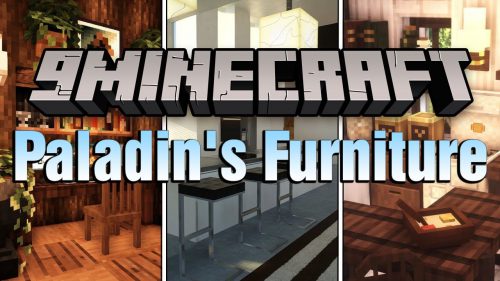 Paladin’s Furniture Mod (26.3, 1.20.1) – Furniture for Modern House

This post has no comments yet. Be the first — your comment will appear here.