


Xai AC Plugin (1.21.11, 1.21.1) – Keep Every Player Fight Fair and Free

 0
0 

Xai AC Plugin protects multiplayer worlds by checking each player’s game files directly before they join. It stops unfair advantages like freecam, injected cheat menus, and banned texture packs by verifying files with the server. This plugin locks out unapproved software and keeps player fights honest for everyone.
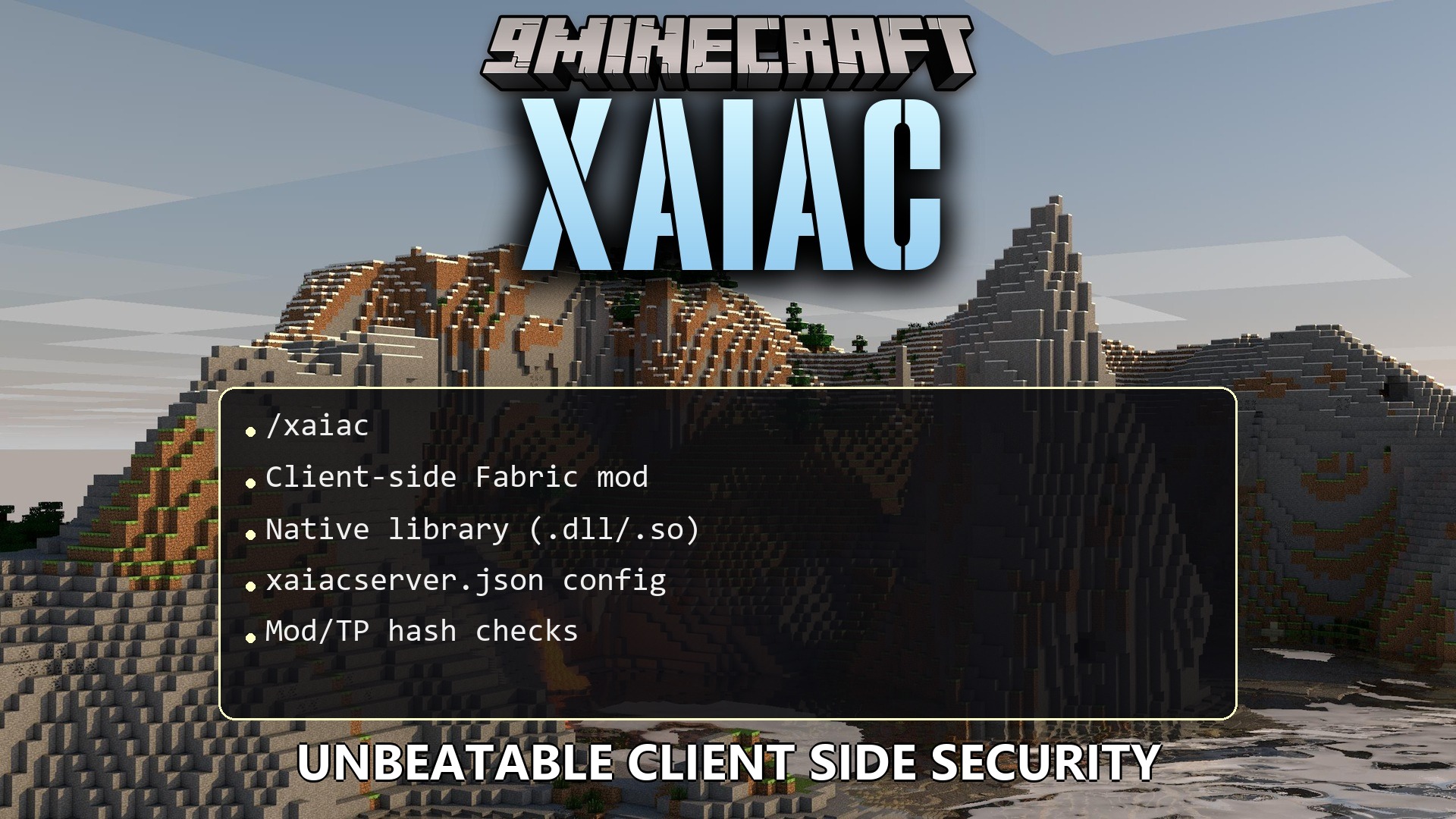
Features:
- Stops unapproved client mods from connecting to your server.
- Checks file hash values to catch modified game files.
- Blocks blacklisted texture packs, x-ray packs, and cheat files.
- Detects external injection cheat clients such as Vape and Doomsday.
- Sends encrypted data packets back to the server to verify each player.
- Forces all joining players to run the matching client protection.
- Works alongside server-side combat checkers to stop cheating completely.
Detection Capabilities:
- Scans all installed game mods and client resource packs.
- Validates exact file hashes so altered game files get caught immediately.
- Spots external cheat programs and injected memory tools.
Commands:
/xaiac config load: reloads the protection settings from the server configuration file.
How to Use:
- Create your list of allowed files by scanning your approved modpack.
- Place the generated configuration file into the server config folder.
- Start the server and type
/xaiac config loadin console or in game. - Have players launch the game with the matching client protection installed to join.
How to Install:
New to Minecraft? Follow our step-by-step guide to install Plugins on your PC.View Guide
Xai AC Plugin Download Links
For Minecraft
1.21.11,
1.21.10,
1.21.9
All Versions Covered
1.21.11
1.21.10
1.21.9
1.21.8
1.21.7
1.21.6
1.21.5
1.21.4
1.21.3
1.21.2
1.21.1
1.21
All Versions Covered
1.21.11
1.21.10
1.21.9
1.21.8
1.21.7
1.21.6
1.21.5
1.21.4
1.21.3
1.21.2
1.21.1
1.21
Click to rate this post!
[Total: 0 Average: 0]
You May Also Like
Picked for this page
 Ultimate Donut SMP Plugin (26.2, 1.21.11) – Everything Players Need to Trade
 Nova Anticheat Java Bedrock Geyser Support Plugin (26.2, 1.20.1)
 Set Homes Two Plugin (26.2, 1.20.1) – Give Players a Safe Way Back
 Ultimate Duels Plugin (1.21.11, 1.21.1) – Let Players Settle Grudges
 Fancy Npcs Plugin (26.3, 1.21.11) – Fill Empty Lobbies with Characters Players
 World Guard Plugin (26.3, 1.20.1) – Protect Player Builds From Grief
 Temperature999 Plugin (1.21.11, 1.21.1) – Punish Players Who Ignore the Heat
 Bat Membranes Plugin (26.2, 1.21.1) – Fix Elytras Without Fighting Phantoms
 Crafters Staff Plugin (1.21.11, 1.21.1) – Catch Rule Breakers Without Ruining
 Nekorelay Plugin (26.2, 26.1.2) – Play with Friends Instantly Without Router
 CHC Custom Hit Command Plugin (26.2, 1.21.1) – Turn PvP Hits Into Fun Server
 Easy Warp Plugin (1.21.11, 1.20.1) – Save Players From Walking Across the Map
Most viewed in Plugins over the last 7 days
 Dynmap 9minecraft Plugin (26.3) – A Live Google-Maps-Style View of Your Whole Server
 Essentials 9minecraft Plugin (26.3) – The Core Command Set Almost Every Server Runs
 Build Paste 9minecraft Plugin (26.3) – Paste Ready-Made Builds Straight Into Your World
- Ultimate Donut SMP Plugin (26.2, 1.21.11) – Everything Players Need to Trade
 Simple Voice Radio Plugin (26.3, 1.20.1) – Broadcast Music and Chat
 Dead Chest 9minecraft Plugin (26.3) – Keep Your Items in a Chest When You Die
 Auto Item Reload Plugin (26.3, 1.20.1) – Keep Building and Mining
 Compass Сoordinates Plugin (26.3, 1.21.1) – Make Exploration Fair
 Job X Plugin (26.2, 1.21.11) – Turn Everyday Grinding Into a Thriving Player
 Eternal Core Plugin (26.2, 1.20.1) – Give Players Fast Travel and Handy Server
 MythicCrucible Plugin (1.21.8, 1.20.1) – Addon for MythicMobs
 Extra Recipes Plugin (1.21.11, 1.20.1) – Craft Saddles and Rare Gear
More from Plugins
 Cozy Survival Essentials Plugin (26.2, 1.21.1) – Make Survival Stress-Free
 Swift Survival Teleports Plugin (1.21.11, 1.21.1) – Instant Travel That Keeps
 LibertyBans Plugin (26.3, 1.20.1) – Scalable Punishment
 Mclogs Plugin (26.3, 1.21.1) – One Command To Share It All
 Multiverse Portals Plugin (26.3, 1.20.1) – Create Custom Teleportation Portals
 Multiverse Netherportals Plugin (26.3, 1.20.1) – Fixes Portal Links Across Worlds
 Multiverse-Inventories Plugin (26.3, 1.20.1) – Separates World I
 Universal Chat Link Plugin (26.2) – Talk with In-Game Friends From Any Group
 Simple Voice Chat Plugin (26.3, 1.20.1) – Hear Players Around You
 Skins Restorer Plugin (26.3, 1.20.1) – Fix Missing Skins So Nobody Gets Stuck
 SkinsRestorer Plugin (26.3, 1.20.1) – Ability To Restore/Change Skins On Servers
 Spooky Survival Encounters Plugin (26.3, 1.21.1) – Turn Peaceful Server Nights

This post has no comments yet. Be the first — your comment will appear here.