


Log Pass Plugin (26.2, 1.20.1) – Protect Player Accounts and Inventories

 0
0 

Log Pass Plugin protects your server by adding a local account and password system for players. Players can join from any computer and access their saved character data once they log into their unique account. The plugin keeps untrusted guests at a designated spawn area until they enter the correct credentials. It also keeps your community data safe locally on the server without relying on outside web services.
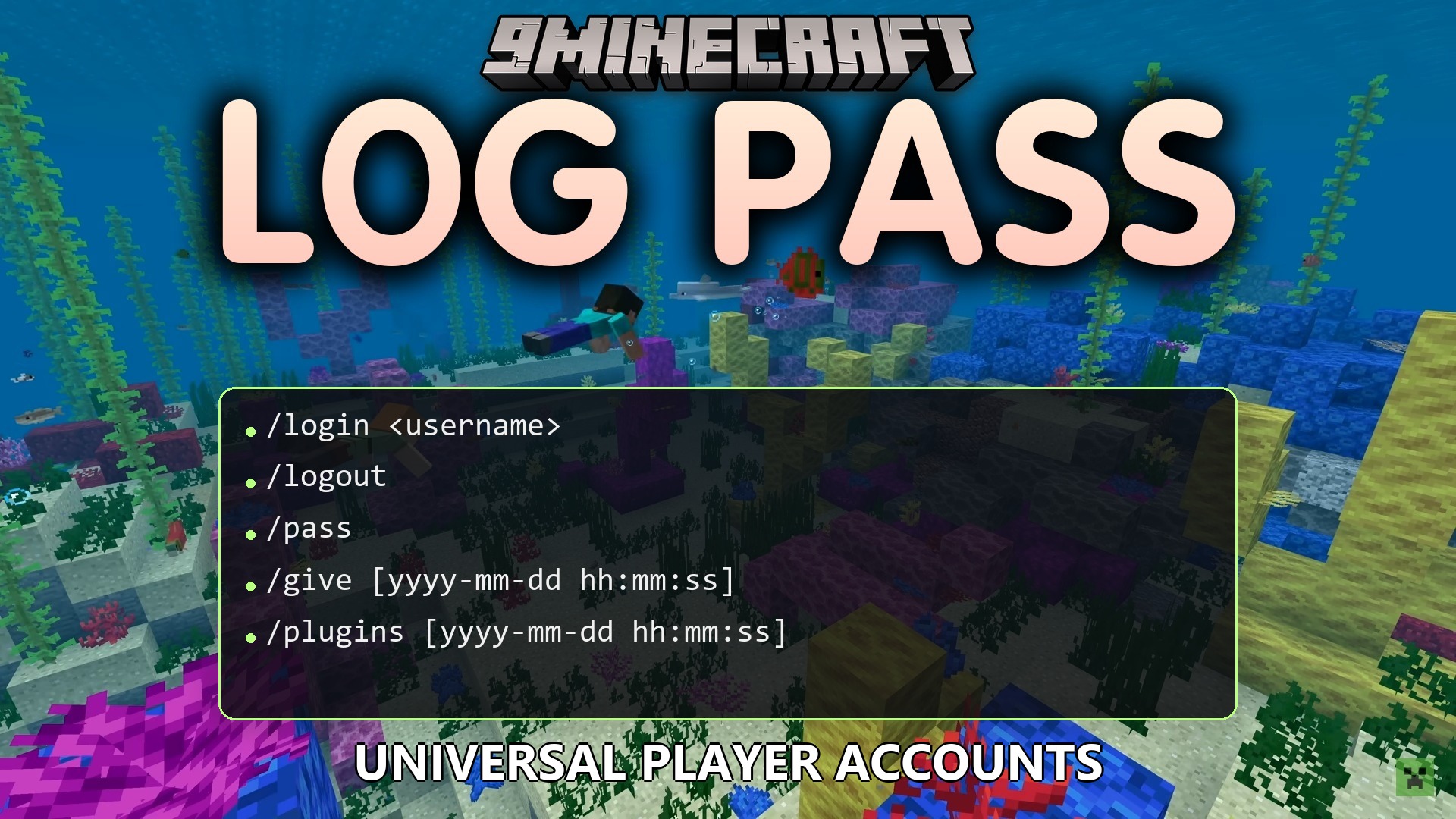
Features:
- Lets players log into a personal server account from any Minecraft username.
- Saves and restores inventory, health, food, XP levels, and armor for each account.
- Teleports unauthenticated visitors to a safe holding spawn point until they log in.
- Shows the account name next to the player tag in the chat window.
- Protects passwords using secure hashing and random salts stored locally in server files.
- Hides entered passwords inside server command logs to keep login details private.
- Records chat history, executed commands, and player stats in dedicated log files.
- Sets a timer that kicks unauthenticated players if they take too long to log in.
Commands:
/login <username> <password>: logs into a registered server account./logout: logs out of the active account./pass change <oldPassword> <newPassword>: updates the password for the current account./pass delete <password>: deletes the current account./pass create <username> <password>: creates a new account from the console or admin rank./pass reset <username> <newPassword>: changes the password for an existing account./pass delete <username>: removes a specific player account./pass setspawn: sets the waiting spawn point for unauthenticated players.
Configuration:
login-timeout-seconds: sets how many seconds a player has to log in before timing out.min-password-length: sets the minimum character count required for passwords.
How to Use:
- Stand in your desired lobby area and type
/pass setspawnto set the spawn point. - Create an account using
/pass create <username> <password>. - Type
/login <username> <password>after joining the server to unlock your items and position. - Use
/logoutbefore disconnecting if you share a device with other players.
How to Install:
New to Minecraft? Follow our step-by-step guide to install Plugins on your PC.View Guide
Log Pass Plugin Download Links
For Minecraft 26.2
For Minecraft 26.1.2, 26.1.1, 26.1
For Minecraft 1.21.11
For Minecraft 1.21.10, 1.21.9
For Minecraft 1.21.8, 1.21.7, 1.21.6
For Minecraft 1.21.5
For Minecraft 1.21.4
For Minecraft 1.21.1, 1.21
For Minecraft 1.20.1, 1.20
Click to rate this post!
[Total: 0 Average: 0]
You May Also Like
Picked for this page
 Grim Anticheat Plugin (26.2, 1.20.1) – Realtime Cheat Detection Plugin
 Miner Track Plugin (26.2, 1.20.1) – Protect Honest Players From X-Ray Cheaters
 Better Jails Plugin (26.2, 1.20.1) – Lock Up Rulebreakers So Everyone Else
 Grief Prevention3 D Plugin (26.2, 1.20.1) – Protect Tall Builds Without Waiting
 Nova Anticheat Java Bedrock Geyser Support Plugin (26.2, 1.20.1)
 Inventory Stacks Plugin (26.2, 1.20.1) – Stack Potions and Weapons
 Ax Player Warps Plugin (26.2, 1.20.1) – Players Share Fast Travel to Bases
 Vote Ban Plugin (26.2, 1.20.1) – Let Players Vote Out Trolls When Staff
 Maria Craft Plugin (26.2, 1.20.1) – Fast Travel and Fun Spleef Breaks
 Gatekeeper Advanced VPN & PROXY Protection Lightweight and Highly Asynchronous Plugin (26.2, 1.20.1)
 R Authorization Plugin (26.2, 1.20.1) – Stop Account Thieves From Ruining
 Easy Warp Plugin (1.21.11, 1.20.1) – Save Players From Walking Across the Map
Most viewed in Plugins over the last 7 days
 WorldEdit Plugin (1.21.11, 1.20.1) – Easy In-Game Minecraft Map Editor
 Cozy Survival Essentials Plugin (26.3, 1.21.1) – Make Survival Stress-Free
 Citizens Plugin (1.21.10, 1.20.1) – The Best NPC Plugin
 Multiverse Netherportals Plugin (26.3, 1.20.1) – Fixes Portal Links Across Worlds
 Simple Voice Radio Plugin (26.3, 1.20.1) – Broadcast Music and Chat
 Emotecraft Plugin (26.3, 1.21.1) – Express Yourself With Emotes
 LiteBans Plugin (1.21.8, 1.20.1) – Keep Your Server Fair With Advanced Ban Tools
 Swift Survival Teleports Plugin (1.21.11, 1.21.1) – Instant Travel That Keeps
 Dynmap 9minecraft Plugin (26.3) – A Live Google-Maps-Style View of Your Whole Server
 ModelEngine Plugin (1.21.8, 1.20.1) – Ultimate Entity Model Manager
 MythicCrucible Plugin (1.21.8, 1.20.1) – Addon for MythicMobs
 Ultimate Donut SMP Plugin (26.2, 1.21.11) – Everything Players Need to Trade
More from Plugins
 Discord SRV Plugin (26.3, 1.20.1) – Keep Everyone Chatting Together
 Fish Rework Fishing Plugin (26.2, 1.21.1) – Turn Simple Fishing Into Thrilling
 Build Paste 9minecraft Plugin (26.3) – Paste Ready-Made Builds Straight Into Your World
 PvP Manager 9minecraft Plugin (26.3) – Control Combat Logging, Newbie Protection and PvP Toggles
 Essentials 9minecraft Plugin (26.3) – The Core Command Set Almost Every Server Runs
 Silk Spawners 9minecraft Plugin (26.3) – Mine and Place Mob Spawners Without Losing Them
 Dead Chest 9minecraft Plugin (26.3) – Keep Your Items in a Chest When You Die
 Parkour Pro Lite Create Awesome Parkours in Minutes Plugin (26.3, 1.20.1)
 Altarsmp by Dnmanpo Plugin (26.1.2, 1.21.1) – Forge Legendary Weapons
 Omichall’s PVP Plugin (26.3, 1.21.1) – Fair Combat, Player Bounties
 Bliss SMP Plugin (1.21.4) – Turn Survival Into Competitive Gem Battles
 Go Paint Advanced Plugin (26.2, 1.21.11) – Let Builders Paint Custom Landscapes

This post has no comments yet. Be the first — your comment will appear here.