
Yaysa 8x Model – Transforms Blocks And Redstone With Cute, Modern 3D Style

 0


Yaysa 8x Model refreshes Minecraft with a fun, cute, and modern low-pixel art style. This pack includes 48 custom 3D models, 1,618 texture files, and animated textures that repaint blocks, nature, and redstone gear. Everyday blocks such as anvils, beacons, campfires, cacti, cocoa pods, fences, iron bars, hoppers, observers, sticky piston heads, comparators, and repeaters gain crisp new 3D shapes with clear visual states. Every block keeps a playful clean feel and changes its look clearly as crops grow, anvils wear down, or redstone circuits power on and off.

Features:
- Fun, Cute, Modern 8×8 Style: Shrinks default textures down to a charming 8×8 pixel grid across 1,618 texture files for a bright, clean look across your world.
- 48 Custom 3D Models: Upgrades key workstations, barriers, plants, and redstone parts with custom 3D shapes instead of plain flat faces.
- Animated Textures Included: Brings moving surface animations to active blocks and world details so builds feel lively.
- State-Aware Block Visuals: Updates 3D models live as anvils crack, cocoa pods ripen, campfires go out, or redstone parts lock and power on.
- Gives redstone comparators, repeaters, observers, hoppers, and sticky piston heads clear visual cues so circuits stay easy to read at a glance.
- Reshapes iron bars and fence side connections so walls, enclosures, and garden borders look neat from every angle.
- Keeps every block crisp and readable so survival bases and creative builds stay playful without visual clutter.
Workstations & Utility Blocks:
- Anvil Wear Stages: custom 3D shapes for the full Anvil (
anvil), Chipped Anvil (chipped_anvil), and Damaged Anvil (damaged_anvil) that show wear clearly as you repair gear. - Beacon: remodeled 3D
beaconblock matched to the cute 8×8 aesthetic. - Extinguished Campfire: dedicated 3D
campfire_offmodel shown whenever a campfire is put out. - Directional Hoppers: custom 3D
hopper_downandhopper_sidemodels showing which direction items funnel.
Nature & Crops:
- Cactus: remodeled 3D
cactusblock for desert landscapes and cactus farms. - Cocoa Growth Stages: three separate 3D pod models for young, medium, and mature cocoa beans (
cocoa_stage0,cocoa_stage1, andcocoa_stage2).
Fences & Iron Bars:
- Fence Connections: custom 3D
fence_sidemodel for horizontal rail links between fence posts. - Iron Bar Variants: four custom 3D pieces covering
iron_bars_post,iron_bars_post_ends,iron_bars_side, andiron_bars_side_alt.
Redstone Components & Live States:
- Redstone Comparator: four distinct 3D models covering normal idle (
comparator), powered (comparator_on), subtract mode (comparator_subtract), and powered subtract mode (comparator_on_subtract). - Redstone Repeater (1-Tick & 2-Tick): seven 3D state models for
repeater_1tick,repeater_1tick_on,repeater_1tick_locked,repeater_1tick_on_locked,repeater_2tick,repeater_2tick_on, andrepeater_2tick_locked. - Observer: separate 3D models for idle (
observer) and active pulse (observer_on) states. - Sticky Piston Head: custom 3D
piston_head_stickymodel visible whenever a sticky piston extends.
How to Use:
- Place the pack archive into your Minecraft
resourcepacksfolder, open Options > Resource Packs in-game, and move the pack to the active column to load all 48 custom 3D models, 1,618 textures, and animated surfaces. - Craft and place a Beacon, a Campfire, and an Anvil in your world; put out the Campfire with a shovel or splash water bottle to see its
campfire_offmodel, and use or drop the Anvil so it transitions across its normal, chipped, and damaged 3D shapes. - Explore a desert biome to spot remodeled Cacti and visit a jungle biome to plant Cocoa Beans on jungle logs, watching each pod grow through its three 3D models from
cocoa_stage0andcocoa_stage1to ripecocoa_stage2. - Craft Fences, Iron Bars, and Hoppers, then build connected fence rows, place standalone and linked Iron Bars, and point Hoppers downward or sideways into chests to inspect the
fence_side, iron bar post/side models, and directionalhopper_downandhopper_sideshapes. - Build a quick redstone test line with an Observer, a Sticky Piston, and a Redstone Comparator; place a block in front of the Observer to watch it switch from
observertoobserver_on, power the Sticky Piston to see thepiston_head_stickymodel extend, and right-click the Comparator while powered and unpowered to view all four normal and subtract states. - Place Redstone Repeaters set to 1-tick and 2-tick delays, power them with a lever, and point another powered Repeater into the side to lock them so you can inspect the
repeater_1tickandrepeater_2tickpowered and locked 3D variants alongside the pack’s animated block textures.
Requirements:
- A Minecraft Java Edition release capable of displaying built-in animated textures (no extra mods needed).
Screenshots:


Yaysa 8x Model Download Links
What type of storage system do you look for first in a modded world?
9 responses · See the full results →
You May Also Like
Picked for this page
 Northern Wonderer Model – Adds 660 Custom 3D Models to Doors and Rails
 Bare Bones X Model – Brings Simple 3D Foliage and Modded Block Visuals
 Pixel Perfection Fidelity Model – Brings Cozy Medieval 3D Models to Blocks
 PixelMine Model – Transforms Everyday Blocks with Animated 3D Shapes
 Night Model – Brings Custom 3D Blocks and Clean Textures for Competitive PvP
 Pastelcraft Model – Brings Soft Pastel Colors and 3D Redstone Blocks
 100Follower Bedwars Pack Model – Transforms Arena Blocks for Clearer Fights
 Vanilla SMP Model – Brings Clear 3D Weapons and Visible Traps to PvP
 Dimensionalized 3D Essentials Model – Adds 248 Vanilla-Style 3D Block Models
 Moons Cuter Bedwars Model – Brings Cute 3D Blocks and Clean PvP Visuals
 Tooniverse Texture Pack 256x Model – Adds Animated Comic Book Visuals
 Flows HD Full Model – Transforms Everyday Blocks with Crisp 128x 3D Shapes
Most viewed in Models over the last 7 days
 Jenny Mod Skin Pack Mega Collection – 310+ Characters
 The Most Complete Collection of Jenny Mod Resources – Models, Animations, Structures,…
 Halloween Pack Jenny Mod Model – Transforms Companions with Spooky Costumes
 750 Models Addon for Yes Steve Model Mod
 Albedo Rework Jenny Mod Model
 Power Model – Custom Girl for PleasureCraft Mod
 Galath Rework Model – Custom Girl for PleasureCraft Mod
 Ram Model – Custom Girl for PleasureCraft Mod
 100+ Custom Animations For Jenny Mod
 Femboy Ellie Rework Jenny Mod Model
 Steve (Jenny & Zoey) Pack Jenny Mod Model
 Ellie Rework Jenny Mod Model
More from Models
 Mace 3D Model – Transforms Flat Maces and Wind Charges Into Heavy 3D Weapons
 Overgrown Model – Brings Warm 3D Wood and Copper Blocks to Worlds
 Tianjin Metro Jinjing Line SFM120 Train Model – Adds 3-Car MTR Metro Trains
 Mk.2 Redstone Model – Upgrades Redstone Circuits with Clear Animated 3D Signals
 The Annoying Villagers Server Model – Equips Animated 3D Combat Weapons
 3D Spear – Equips Every Spear Tier with Movie-Inspired 3D In-Hand Weapons
 Stemtacular Green Model – Transforms Flat Melon and Pumpkin Stems Into 3D Crops
 Eurotram – Brings Working Strasbourg Trams with Two Liveries to MTR4 Railways
 Bunnyberg’s PBR 3D Items Model – Transforms Flat Sprites Into Animated 3D Gear
 Survival Model – Adds 3D Redstone Blocks and Visual Durability Stages
 Vanilla Emissive Ores Model – Brings Glowing Mineral Veins to Dark Caves
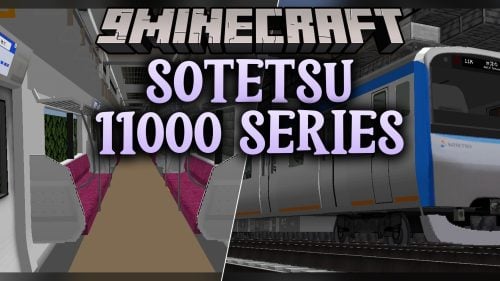 Sotetsu 11000 Series Model – Brings Japanese Commuter Trains to MTR Railways

This post has no comments yet. Be the first — your comment will appear here.