
CobbleHats – Brings 40 Animated 3D Pokémon Hats With Shiny Variants

 0

CobbleHats brings 40 custom 3D Pokémon-themed hats straight into your Minecraft world so your character stands out in style. This pack ships with 70 texture files and includes animated textures that give each piece extra life on your head. You get headwear inspired by favorites like Ampharos, Applin, Blaziken, Breloom, Buneary, Diglett, Goomy, Hoppip, Magnemite, Meowth, Morelull, Nickit, Paras, and Scorbunny. Many hats come in both regular and shiny color styles, alongside regional forms like Alolan Diglett plus Alolan and Galarian Meowth. Because these hats are craftable, you wear and collect your favorite looks right inside normal Survival play.

Features:
- 40 Custom 3D Models: Packs 40 custom-built 3D headwear models styled after Pokémon characters, caps, ears, and mushroom designs.
- 70 Texture Files: Ships with 70 dedicated textures that color each model in detail across regular and alternate styles.
- Animated Textures: Includes moving texture details on hat models so equipped headwear looks lively while you play.
- Craftable Headwear: Lets you craft the hat models right inside your world instead of limiting them to Creative setups.
- Pairs most hat designs with matching shiny color variants so you can swap between classic and rare looks.
- Covers regional Pokémon styles too, bringing Alolan and Galarian variations alongside classic headpieces.
- Works cleanly as a lightweight model pack focused solely on wearable Pokémon headwear.
Character Hats And Ears:
- Ampharos Hats (
ampharos,ampharos_shiny): standard and shiny Ampharos-themed 3D headwear models. - Applin Hats (
applinhat,applinhat_shiny): standard and shiny Applin hat designs. - Buneary Hats (
buneary,buneary_shiny): standard and shiny Buneary headwear models. - Goomy Hats (
goomyhat,goomyhat_shiny): standard and shiny Goomy hat designs. - Hoppip Hat (
hoppiphat): Hoppip-themed 3D hat model. - Magnemite Hats (
magnemitehat,magnemitehat_shiny): standard and shiny Magnemite hat models. - Nickit Ears (
nickit_ears,nickit_ears_shiny): standard and shiny Nickit ear headwear. - Scorbunny Hats (
scorbunny,scorbunny_shiny): standard and shiny Scorbunny headwear models.
Caps And Shroom Hats:
- Blaziken Caps (
blaziken_cap,blaziken_cap_shiny): standard and shiny Blaziken-style caps. - Psy Caps (
psycap,psycap_shiny): standard and shiny Psy cap models. - Breloom Shroom Hats (
breloomshroom,breloomshroom_shiny): standard and shiny Breloom mushroom hat designs. - Morelull Shroom Hats (
morelullshroom,morelullshroom_shiny): standard and shiny Morelull mushroom hats. - Paras Shroom Hat (
parasshroom): Paras mushroom headwear model.
Regional Form Hats:
- Diglett Hats (
digglethat,digglethat_shiny,alolan_digglethat): classic Diglett hat, its shiny variant, and the Alolan Diglett hat model. - Meowth Face Hats (
meowthface,meowthface_alola,meowthface_galarian): classic Meowth face headwear alongside Alolan and Galarian regional forms.
How to Use:
- Place the downloaded pack zip file into your Minecraft
resourcepacksfolder, then open Options, go to Resource Packs, and move it to the Selected column so the custom 3D models load in-game. - Enter a world and craft the hats at a crafting table in Survival mode, or grab them from the Creative menu, starting with classics like
ampharos,applinhat,goomyhat,hoppiphat, andscorbunny. - Put any hat into your head armor slot and press F5 to switch to third-person view; the full 3D model appears on your character, showing off caps and ears like
blaziken_cap,psycap,buneary,nickit_ears, andmagnemitehat. - Swap between standard and regional form models to compare their different shapes and markings, such as pairing
digglethatwithalolan_digglethator testingmeowthfacenext tomeowthface_alolaandmeowthface_galarian. - Equip the shiny color models-including
ampharos_shiny,applinhat_shiny,blaziken_cap_shiny,breloomshroom_shiny,digglethat_shiny,morelullshroom_shiny, andscorbunny_shiny-alongside mushroom styles likebreloomshroom,morelullshroom, andparasshroomto check out the alternate palettes. - Rotate your camera in third-person view or press E to open your inventory preview so you can watch the animated textures play across the equipped headwear.
Requirements:
- A Minecraft game release able to render animated textures so every moving hat texture displays cleanly in-game.
Screenshots:


CobbleHats – Now Craftable Model Download Links
How do you usually play Minecraft?
23 responses · See the full results →
You May Also Like
Picked for this page
 Mob Cards Nether Model – Transforms Spawn Eggs Into Animated Collectible Cards
 100Follower Bedwars Pack Model – Transforms Arena Blocks for Clearer Fights
 Esterlon Network Textures Model – Brings Realistic Modern City Streets
 The Original Work Programmer Art Model – Brings Classic Retro Visuals and Models
 Dokucraft Light Model – Transforms Everyday Blocks Into Fantasy 3D Shapes
 Moons Cuter Bedwars Model – Brings Cute 3D Blocks and Clean PvP Visuals
 Mickey Joe’s CIT Namables Model – Unlocks Custom Spin-Off Gear at Anvils
 ZickZack ORI Red Model – Brings 3D Pen Bows, Trackers, and Custom Skies
 Slimefun Model – Brings 3D Shields, Solar Panels, and Animated Server Tech
 Tooniverse Texture Pack 256x Model – Adds Animated Comic Book Visuals
 Justzilla’s Classic Model – Brings Retro Aesthetics to Modern Blocks
 Overgrown’s 3D Alchemy Model – Transforms Brewing Stands and Potions
Most viewed in Models over the last 7 days
 Jenny Mod Skin Pack Mega Collection – 310+ Characters
 The Most Complete Collection of Jenny Mod Resources – Models, Animations, Structures,…
 Halloween Pack Jenny Mod Model – Transforms Companions with Spooky Costumes
 750 Models Addon for Yes Steve Model Mod
 Albedo Rework Jenny Mod Model
 Power Model – Custom Girl for PleasureCraft Mod
 Galath Rework Model – Custom Girl for PleasureCraft Mod
 Ram Model – Custom Girl for PleasureCraft Mod
 100+ Custom Animations For Jenny Mod
 Femboy Ellie Rework Jenny Mod Model
 Steve (Jenny & Zoey) Pack Jenny Mod Model
 Ellie Rework Jenny Mod Model
More from Models
 IVR – Brings Realistic KCRC Passenger Trains to Your MTR Railway Network
 RRG Model – Adds Custom 3D Train Designs and Detailed Railway Visuals to Worlds
 3D Potion Model – Transforms Flat Vanilla Bottles Into Detailed 3D Vials
 Mace 3D Model – Transforms Flat Maces and Wind Charges Into Heavy 3D Weapons
 Overgrown Model – Brings Warm 3D Wood and Copper Blocks to Worlds
 Tianjin Metro Jinjing Line SFM120 Train Model – Adds 3-Car MTR Metro Trains
 Mk.2 Redstone Model – Upgrades Redstone Circuits with Clear Animated 3D Signals
 The Annoying Villagers Server Model – Equips Animated 3D Combat Weapons
 3D Spear – Equips Every Spear Tier with Movie-Inspired 3D In-Hand Weapons
 Stemtacular Green Model – Transforms Flat Melon and Pumpkin Stems Into 3D Crops
 Eurotram – Brings Working Strasbourg Trams with Two Liveries to MTR4 Railways
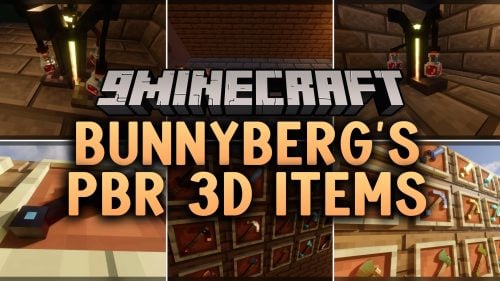 Bunnyberg’s PBR 3D Items Model – Transforms Flat Sprites Into Animated 3D Gear

This post has no comments yet. Be the first — your comment will appear here.